Connectors · Zoho CRM
Import data into Zoho CRM: contacts, accounts and deals in one go
Connect your Zoho CRM once, then import Excel and CSV files as they are. One sheet can create accounts, contacts and deals together, linked to each other and matched against the records you already hold. You see every record before it is written.
How Sloose connects to Zoho CRM
- One consent in Zoho. An administrator allows Sloose on Zoho's own screen and chooses the organisation. Zoho sends you to your own data centre, so there is no region to pick.
- Your modules and fields are read. Sloose reads every module and field, your custom ones included, so the import knows your CRM. An administrator can read it again whenever you change it.
- Every import writes through that connection. Records are created as the administrator who connected the CRM, with their permissions. Zoho's grant to Sloose is stored encrypted and never leaves our server.
- Disconnect at any time. Sloose asks Zoho to revoke its access and removes the stored grant.
Works with Zoho's US, EU, India, Australia and Japan data centres. Not yet available for Zoho's China data centre.

Use it at app.sloose.com, or as a tab in Zoho CRM
Sloose runs in your browser at app.sloose.com and needs nothing installed. If your team lives in Zoho CRM, add Sloose as a web tab and the same imports open inside your CRM. In the tab you sign in with your Zoho account.
If nobody has set up Sloose for your CRM yet, the tab offers to do it in one step: it creates your Sloose organisation and connects the CRM to it.
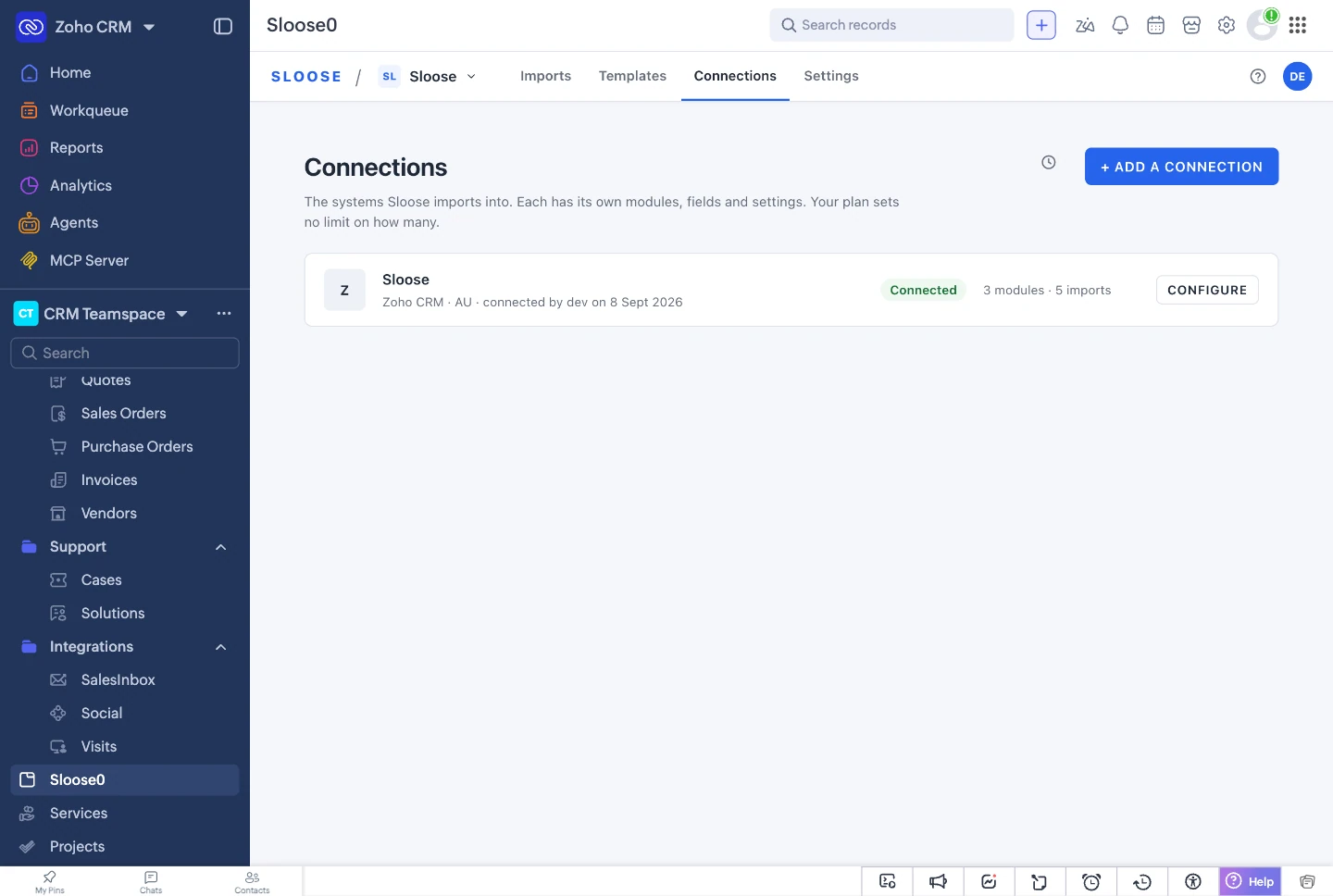
Zoho CRM: import contacts and accounts at the same time
In Sloose one file can feed the Accounts, Contacts and Deals modules in one import. Sloose works out that an account has to exist before the contacts and deals that link to it, and links each row's records together.

Several Zoho CRMs, or several teams on one
One Sloose organisation can hold connections to several Zoho CRMs, for example one for each client you import for. Every import names the CRM it writes to, so nothing is written to the wrong one by default. Free and Team include one connection, Business two, and Enterprise as many as you need.
Two Sloose organisations can also connect the same Zoho CRM, each with its own connection, settings and plan.
Zoho CRM's own import, and where Sloose helps
Zoho CRM's import is built in and is fine for one tidy file per module. Here is how the two compare on the points that matter most. The full comparison has every row.
| Compared | Zoho CRM's import | Sloose | Better |
|---|---|---|---|
| Cost | Part of Zoho CRM. | Free plan: 5 runs a month, up to 500 rows each. Paid plans from US$49 a month. | Zoho CRM's import |
| Rows in one importZoho help | From 1,000 rows a file (Free edition) to 200,000 (Ultimate). Files up to 25 MB. | From 500 rows a run (Free plan) to 500,000 (Enterprise). | Depends on your edition and plan |
| Header rowZoho help | The first row must hold the column names. | Finds the header row under a title in an XLSX worksheet. In any file, title and totals rows can be dropped. | Sloose |
| Several modules from one fileZoho help | One file for the module, and one more for each dependent module. | One file can feed Accounts, Contacts and Deals, linked row by row. A company on several rows becomes one account when accounts are matched on its name. | Sloose |
| Lookup fieldsZoho help | By record ID, a unique field, the record name (not for Leads, Contacts or Users), email for some modules, or an External ID. | A search on a field you choose, where Zoho can search it. The value can come from a formula. You choose what happens when none or several match. | Sloose |
| Existing recordsZoho help | Add, update or both, matched on one unique field. | A rule for each module, a value from a formula, a condition for updates, and a choice when several records match. | Sloose |
| Changing valuesZoho help | One default value for a field. A format chosen for date and number fields. | A formula for any field, with its result shown on every row before the import. | Sloose |
| UndoZoho help | Undo the records an import added, within 30 days. Updates cannot be undone. | No undo. Validate and a dry run show every record before it is written. | Zoho CRM's import |
Facts about other products last checked on 3 October 2026.
Where Zoho's import is better
- It is part of Zoho CRM, at no extra cost.
- It can undo the records an import added, for 30 days. Sloose cannot undo an import.
- It can create a new field while you import. Sloose cannot: add the field in Zoho, then read the connection again.
- It reads XLS files, and VCF files for Leads, Contacts and Users. Sloose reads CSV, pasted text and XLSX.
- Its import runs inside Zoho. A Sloose import runs in your browser, and the page stays open until the run ends.
Zoho's facts from Import data into a CRM module, Zoho help, read 3 October 2026.
Zoho CRM data migration from another CRM's export files
Moving to Zoho CRM usually starts with export files from the old CRM: organisations in one file, people and deals in another, linked by the old CRM's own ids.
Load both files into one import. Keep the old id in a field, and each person's Org ID finds the organisation created earlier in the same run. Sloose runs the organisations first because the people link to them.
A link is found from the records the run has just made, not from a search. Zoho's search does not always return a record created a few seconds earlier, so a search alone would miss it.
Before anything is written, Validate points out a person whose Org ID matches no organisation in the file, such as ORG-00099 below.
Sloose imports the export files. It does not connect to the old CRM.
| A | B | C | D | E | F | |
|---|---|---|---|---|---|---|
| 1 | Org ID | Organisation | Owner | Created (UTC) | Tags | Website |
| 2 | ORG-00017 | Copperleaf Studio | jordan.avery@yourco.example | 2019-06-11T03:14:07Z | VIP;Design | copperleaf.example |
| 3 | ORG-00018 | Ironbark & Finch Builders | mei.tanaka@yourco.example | 2020-01-30T22:05:41Z | Wholesale|Newsletter | https://www.ironbarkfinch.example/ |
| 4 | ORG-00019 | Bluegum Physio | ravi.patel@yourco.example | 2021-08-02T00:00:00Z | bluegumphysio.example | |
| 5 | ORG-00020 | Harbourline Freight | former.staff@yourco.example | 2018-03-19T07:45:00Z | VIP | harbourline.example |
| 6 | ORG-00021 | Harbourline Freight Pty Ltd | mei.tanaka@yourco.example | 2022-11-04T05:10:12Z | Duplicate? | harbourline.example |
| A | B | C | D | E | F | G | H | I | |
|---|---|---|---|---|---|---|---|---|---|
| 1 | Person ID | Org ID | Full name | Deal title | Deal stage | Deal value (AUD) | Deal owner | Notes | |
| 2 | P-0901 | ORG-00017 | Avery-Chen, Kim | kim@copperleaf.example | Brand refresh | Proposal Made | 18,000 | jordan.avery@yourco.example | Met at expo. Follow up after Xmas |
| 3 | P-0902 | ORG-00018 | Dale Finch | dale@ironbarkfinch.example | Site office refit | Negotiations Started | 142,500 | mei.tanaka@yourco.example | |
| 4 | P-0903 | ORG-00018 | Rosa Ironbark | rosa@ironbarkfinch.example | Prefers phone & SMS | ||||
| 5 | P-0904 | ORG-00020 | Olivia Brooks | olivia@harbourline.example | Depot racking | Lost - price | 36,000 | former.staff@yourco.example | |
| 6 | P-0905 | ORG-00021 | Dev Sharma | dev@harbourline.example | Depot racking (2nd go) | Lead In | 31,500 | mei.tanaka@yourco.example | |
| 7 | P-0906 | ORG-00099 | Hannah Cole | hannah@unknownorg.example | Physio fit-out | Won | 9,800 | ravi.patel@yourco.example | Org record deleted in old CRM |
Questions people ask
Can I import contacts and accounts at the same time in Zoho CRM?
How do I import a lookup field in Zoho CRM?
What are Zoho CRM’s import limits?
Does Sloose use my Zoho API credits?
Does it work with Zoho One and Zoho CRM Plus?
Which Zoho data centres does Sloose support?
Can I undo an import?
Connect your Zoho CRM
Start on the free plan, connect your CRM with one consent in Zoho, and import your first file.